Download the bj77bet App — Cricket, Slots & Live Casino on Your Phone
The bj77bet app brings 3,200+ games, live cricket odds and bKash/Nagad payments straight to your Android. Free to install. No app store required. Version 3.2.3, just 32 MB.
Free · 32 MB · Android 8.0+ · bj77bet.apk
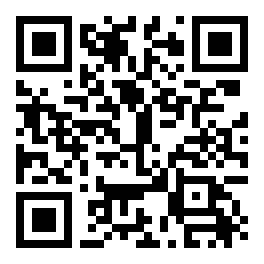
Scan to download
bj77bet.apk on Android
Safety First: What the App Needs and Why
The bj77bet app is built for Android and distributed directly — not through the Play Store. Before you install, here is exactly what permissions it asks for and what each one does.
SSL Encryption on Every Connection
All data between your phone and bj77bet servers travels over TLS 1.3. That covers your login session, deposit requests and game results. No plain-text traffic. If the connection drops, the session pauses rather than passing data over an insecure fallback channel.
No Camera or Microphone Access
The bj77bet app does not request access to your camera, microphone or contacts. It only reads network state to detect Wi-Fi vs mobile data, and writes to external storage only when you choose to save a receipt. You can verify every permission in Android Settings at any time.
APK Source Verification
Only download bj77bet.apk from this page (bj77bet.bet/bj77bet-app/). Third-party mirror sites may bundle modified files. After downloading, Android shows the package name bet.bj77bet.app during install — if the name differs, delete the file and re-download from here.
Account & KYC Safety
Your bj77bet account password is hashed server-side. The app stores a session token on device, not your password. If your phone is lost, log in on any browser and use Account Settings to revoke all active sessions immediately. KYC documents are reviewed within 2 hours and stored securely.
bj77bet App vs Playing in a Browser
Both the app and the mobile browser version give you full access to your account. This table shows where the app has a clear edge — and where the two are equal.
| Feature | bj77bet App v3.2.3 | Mobile Browser |
|---|---|---|
| Push notifications for match odds changes | Yes | No |
| One-tap bKash / Nagad deposit | Yes — stored method | Re-enter each time |
| Live score widget on lock screen | Yes | No |
| Offline bet-slip drafting | Yes — syncs on reconnect | No |
| Full game library (3,200+ titles) | All games | All games |
| bKash · Nagad · Rocket · Upay deposits | All methods | All methods |
| Deposit arrival time | About 2 minutes | About 2 minutes |
| Withdrawal processing | About 30 minutes | About 30 minutes |
| Live chat support | In-app 24/7 | On-site 24/7 |
| Auto-update to latest version | In-app prompt | Always latest automatically |
| Install size | 32 MB | No install needed |
Push notifications and lock-screen widgets require Android notification permissions, which you can grant or revoke any time in Settings.
Six Reasons Players Keep the App Installed
Here is what the bj77bet app does that keeps it on the home screen, explained plainly.
Live Cricket Odds
BPL, IPL, T20 and ODI matches with ball-by-ball odds updates. Place in-play bets in a few taps. Notifications fire when your watched match starts or the run rate changes sharply, so you never miss a swing in momentum.
Slots from JILI, Evolution & More
All 3,200+ titles load in the app — including Plants vs Dino, Monkey King and Blocky Blocks. Game providers JILI, Habanero, Evolution, Red Tiger and Ezugi are all present. Minimum bets start from ৳1 so you can try any game at low stakes first.
Live Casino with Real Dealers
Evolution and Ezugi power the live tables. Stream HD dealer games over mobile data or Wi-Fi. The app adapts video quality automatically when your signal drops, so the stream stays smooth rather than freezing mid-hand during a baccarat round.
Crash & Aviator Style Games
Quick-round crash games let you cash out before the multiplier drops. Rounds last under 60 seconds, which fits a commute or a break between overs. The app keeps your last cash-out setting so you do not have to re-enter a target multiplier each round.
bKash & Nagad in Two Taps
Deposit with bKash, Nagad, Rocket or Upay without leaving the app. The minimum deposit is ৳500 and funds arrive in about 2 minutes. For withdrawals, the minimum is ৳1,100 and processing takes about 30 minutes once KYC is complete.
24/7 Live Chat Inside the App
Open the help icon from any screen to reach live support. Agents answer in English and can help with stuck deposits, game issues or account verification. No need to open a browser or find a separate site — support is always one tap away from wherever you are in the app.
Popular Games Available in the App



System Requirements & Version Details
Check these specs before downloading. If your Android version is below 8.0, the app will not install — use the mobile browser version at bj77bet.bet instead.
| File name | bj77bet.apk |
|---|---|
| Current version | 3.2.3 |
| File size | 32 MB |
| Minimum Android | Android 8.0 (Oreo) or above |
| iOS / iPhone | Add to Home Screen from Safari (PWA) |
| Last updated | 9 November 2026 |
| Price | Free |
| Languages | English / Bangla |
| Developer | bj77bet |
Ready to Install
File: bj77bet.apk · 32 MB · Free
Download bj77bet.apkNot registered yet? Create a free account first — you'll need it to log in after installing.
Android blocks APK files from unknown sources by default. See the install steps below to allow it — takes about 10 seconds to change the setting.
The bj77bet App in Your Pocket
-
Instant deposit — ৳500 minimum
Pay by bKash or Nagad inside the app. Funds land in your bj77bet wallet in about 2 minutes.
-
Live cricket, slots and fishing games
Everything from BPL live odds to Shade Dragon Fishing from JILI — all in one app.
-
Match & promotion alerts
Get notified when a reload bonus goes live or when your cricket match is about to start — no need to keep the app open.
-
Secure & lightweight
TLS encryption, session-token login (no saved password), and only 32 MB on your storage.
Installing the bj77bet App on Android: Step by Step
The whole process takes under three minutes on a standard Android phone with a good data connection. Follow each step in order — skipping the "unknown sources" step is the most common reason installs fail.
-
1
Allow Installation from Unknown Sources
Go to Settings → Apps → Special App Access → Install Unknown Apps. Find your browser (Chrome, Firefox or whichever you use to download), then toggle "Allow from this source" to ON. This setting is per-app, not system-wide — it only permits your chosen browser to install APKs. You can turn it off again after installation.
-
2
Download bj77bet.apk
Tap the Download APK button on this page. Your browser will save bj77bet.apk (32 MB) to your Downloads folder. On mobile data the download takes roughly 20–30 seconds at typical Bangladesh 4G speeds. Wait for the "Download complete" notification before proceeding.
-
3
Open the APK File
Tap the completed download notification, or open your Files app, navigate to Downloads, and tap bj77bet.apk. Android will show an install screen listing the app name as bj77bet and the package as bet.bj77bet.app. Confirm the package name matches before proceeding — this tells you the file is genuine.
-
4
Tap Install and Wait
Press Install on the Android prompt. The process completes in about 10 seconds. Do not tap the screen or switch apps during installation. When the "App installed" message appears, the app icon will be ready on your home screen. You do not need to restart your phone.
-
5
Log In or Register
Open the bj77bet app and tap Log In if you already have an account, or Register to create one. New accounts get access to the welcome bonus — minimum deposit ৳500, bonus up to ৳9,500 at 120%. If you do not have an account yet, register here before logging in.
iPhone / iOS Users: Add to Home Screen
Apple does not allow APK installs on iOS. Instead, use the Progressive Web App (PWA) method — it puts a bj77bet icon on your home screen and behaves like a native app.
- Open bj77bet.bet in Safari on your iPhone or iPad.
- Tap the Share button (the box with an arrow pointing up) at the bottom of the Safari toolbar.
- Scroll down in the share sheet and tap Add to Home Screen.
- Confirm the name as bj77bet and tap Add. The icon appears on your home screen and opens bj77bet in full-screen mode.
Install Problems: Causes and Fixes
Most bj77bet app install errors come down to a few predictable causes. The table below covers the five most common ones reported by players in Bangladesh.
| Problem | Most Likely Cause | What to Do |
|---|---|---|
| "Install blocked" or "not allowed" | Unknown sources permission not enabled for your browser | Go to Settings → Apps → Special App Access → Install Unknown Apps, then enable your browser. Re-tap the APK file. |
| "App not installed" error after tapping Install | Corrupted or incomplete download (file smaller than 32 MB) | Delete the APK from Downloads, then re-download from this page. Check that the download completes fully before opening. |
| App installs but crashes on launch | Android version below 8.0, or low available storage | Check Settings → About Phone for Android version. Clear at least 60 MB of storage space and try launching again. |
| Login page does not load after install | No internet connection, or VPN blocking bj77bet.bet | Turn off any active VPN, switch between mobile data and Wi-Fi, then reopen the app. The app requires a live internet connection. |
| Old version installed — cannot update | Trying to install v3.2.3 over a manually modified older APK | Uninstall the old version from Settings → Apps → bj77bet → Uninstall. Then download and install the fresh v3.2.3 file from this page. |
Still stuck? Open 24/7 Live Chat inside the app (if it loads) or visit bj77bet.bet in your browser and start a chat from there.
Common Questions About the App
Answers to the questions players in Bangladesh ask most often before and after installing the bj77bet app.